The real app,
not a mockup.
Screenshots from the live macOS SwiftUI build. The Windows build runs the same interface inside Edge WebView2 — same feature parity, different chrome. Source code is on GitHub; build instructions are in the README.
Get it on GitHub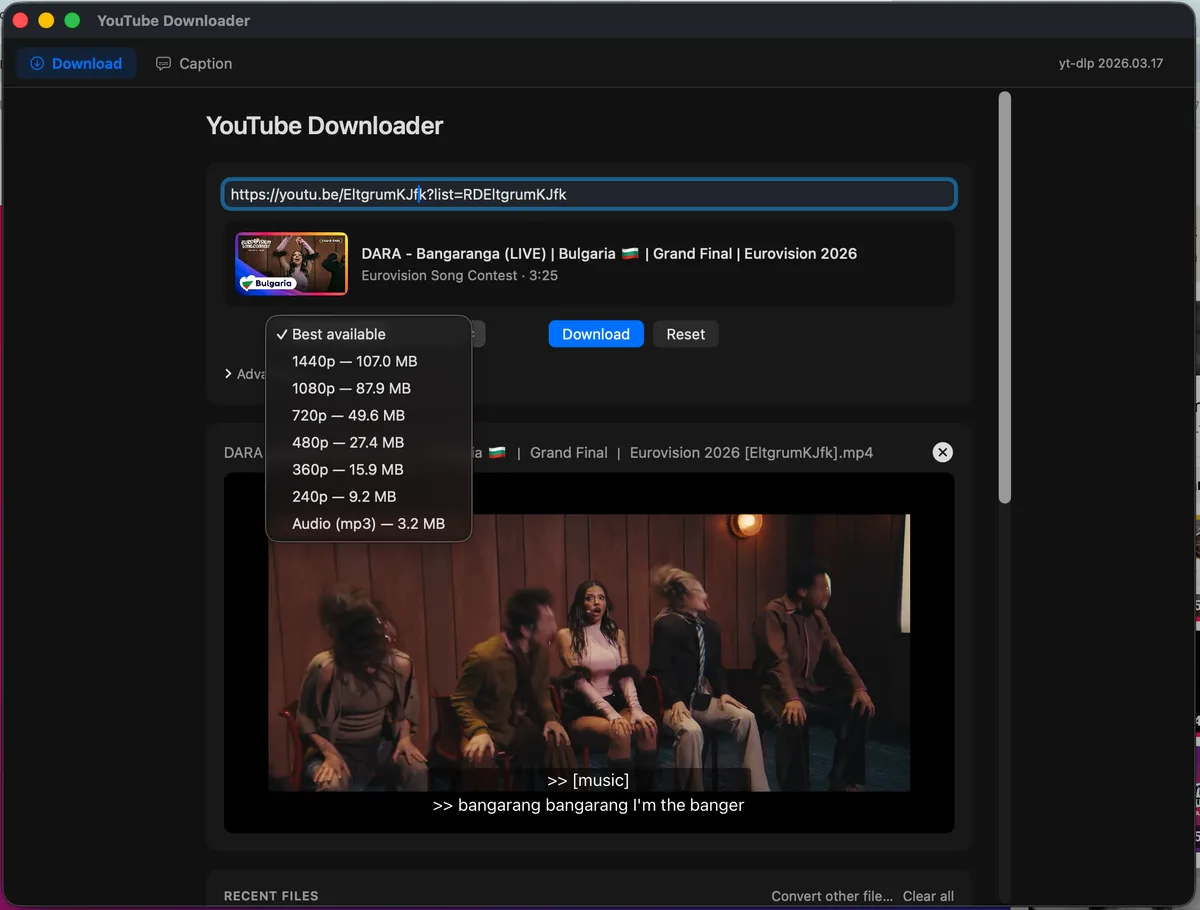
Input card + quality picker
Paste a URL — clipboard auto-fills on focus. Pick a quality; sizes are shown per option. One click to start.
Active download + file list
Progress bar with real-time speed and ETA. Cancel works at any point. Finished files appear in the list immediately.
Inline player + subtitle switching
AVKit player renders directly in the app. Toggle between embedded subtitle tracks. "Make compatible" re-encodes to H.264 + AAC with one click.
Build it yourself, or just download the installer.
The full source is on GitHub: Swift Package Manager for macOS, PyInstaller + Inno Setup for Windows. Pre-built binaries on the Releases page — signed .dmg for Mac, installer .exe for Windows. Build instructions are in the README; ./scripts/fetch-binaries.sh && ./scripts/build.sh is all you need on macOS.